11.2 Process Workflows
This section shows the main operational workflows used by the MoH Helpdesk platform. The diagrams focus on the business flow and handover understanding rather than implementation code.
11.2.1 Facility User Ticket Creation Flow
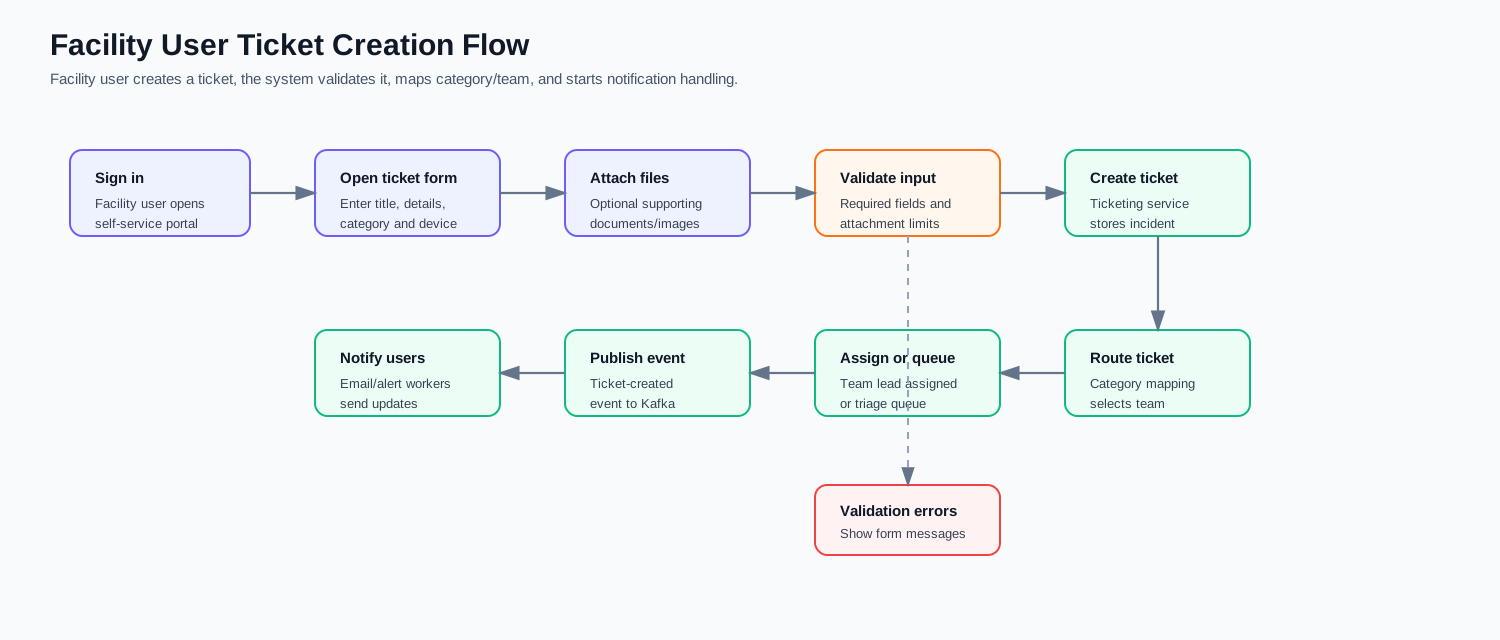
A Facility User creates a ticket from the self-service portal by entering the issue title, description, category, facility/device context, and optional attachments. The system validates the input, stores the ticket, generates the ticket number, applies category-to-team routing, assigns the ticket when possible, and publishes the creation event for notification handling.
| Stage | Description |
|---|---|
| User submission | Facility User enters the ticket information and submits it. |
| Validation | Required fields and attachment rules are checked. |
| Ticket creation | Ticketing Service stores the new incident and ticket number. |
| Routing | Category mapping selects the responsible support team. |
| Assignment | The ticket is assigned to an available/team-lead expert or sent to triage. |
| Notification | Ticket-created event triggers email or other enabled alerts. |
11.2.2 Ticket Assignment Flow
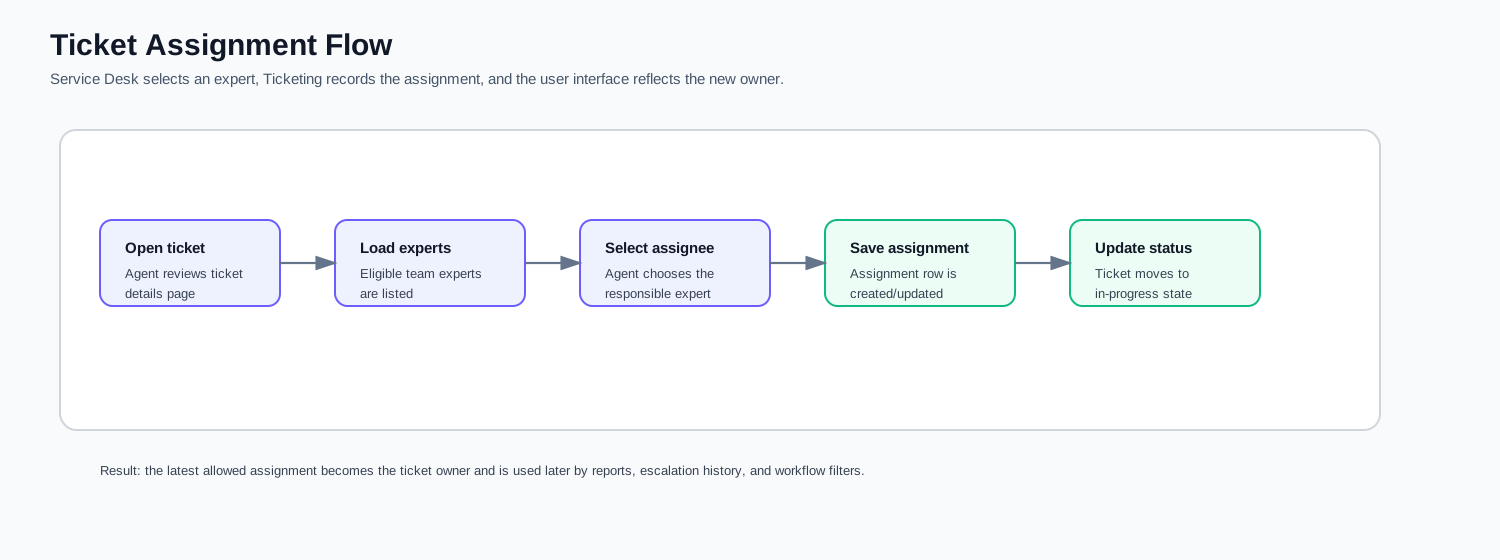
Ticket assignment starts when a Service Desk user opens the ticket details page and selects an eligible expert. The system records the assignment, updates the ticket state, and uses the latest active assignment as the ticket owner for workflow, reporting, and filtering.
| Stage | Description |
|---|---|
| Ticket review | Service Desk reviews the ticket details. |
| Expert selection | Eligible experts are loaded from the team/user access context. |
| Assignment save | Assignment data is stored against the ticket. |
| Status update | The ticket moves into the active handling state. |
| Visibility update | UI and reports reflect the latest assignment. |
11.2.3 Ticket Reassignment Flow
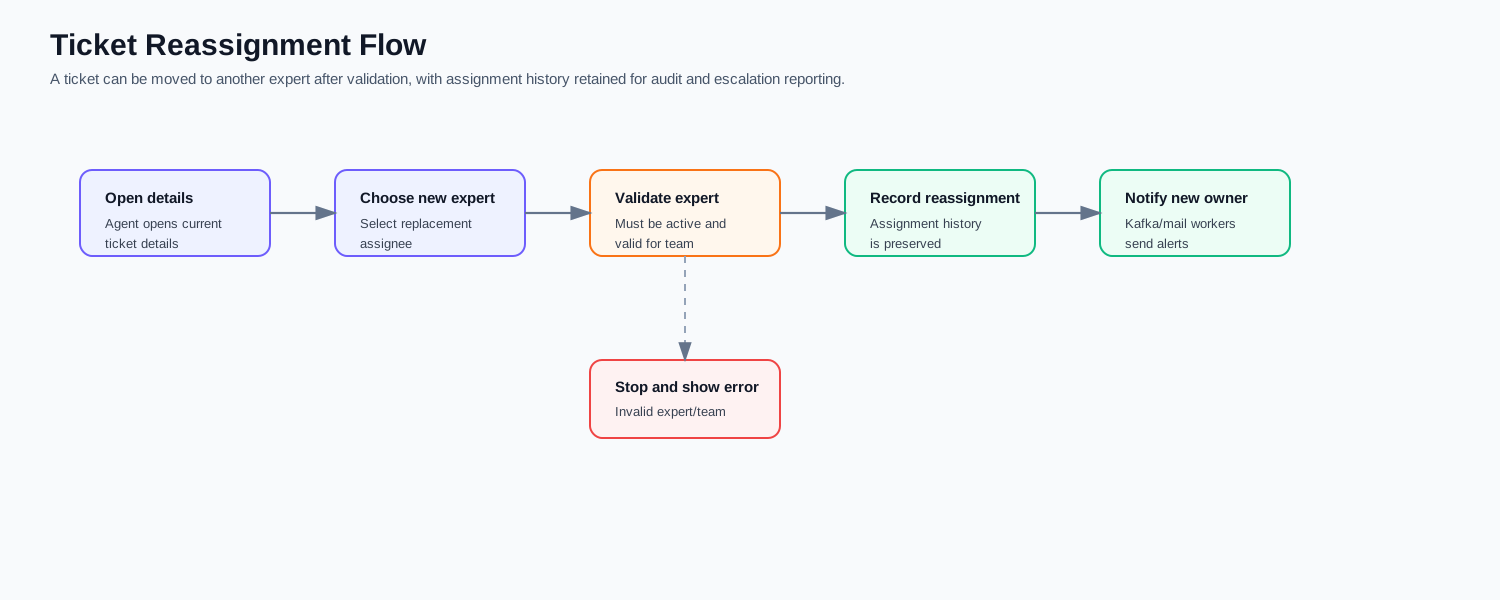
Ticket reassignment is used when a ticket must move from one expert to another. The system validates the new expert, stores the reassignment as assignment history, and sends notifications to the new owner. This preserved history supports escalation and technician reports.
| Stage | Description |
|---|---|
| Reassignment request | Service Desk chooses a new expert from the ticket details page. |
| Validation | The new expert must be active and valid for the selected team/context. |
| History update | The new assignment is recorded without losing the previous assignment trail. |
| Notification | The new owner receives the reassignment alert. |
| Reporting impact | Reassignment history contributes to escalation and technician performance reports. |
11.2.4 Ticket Resolution Flow
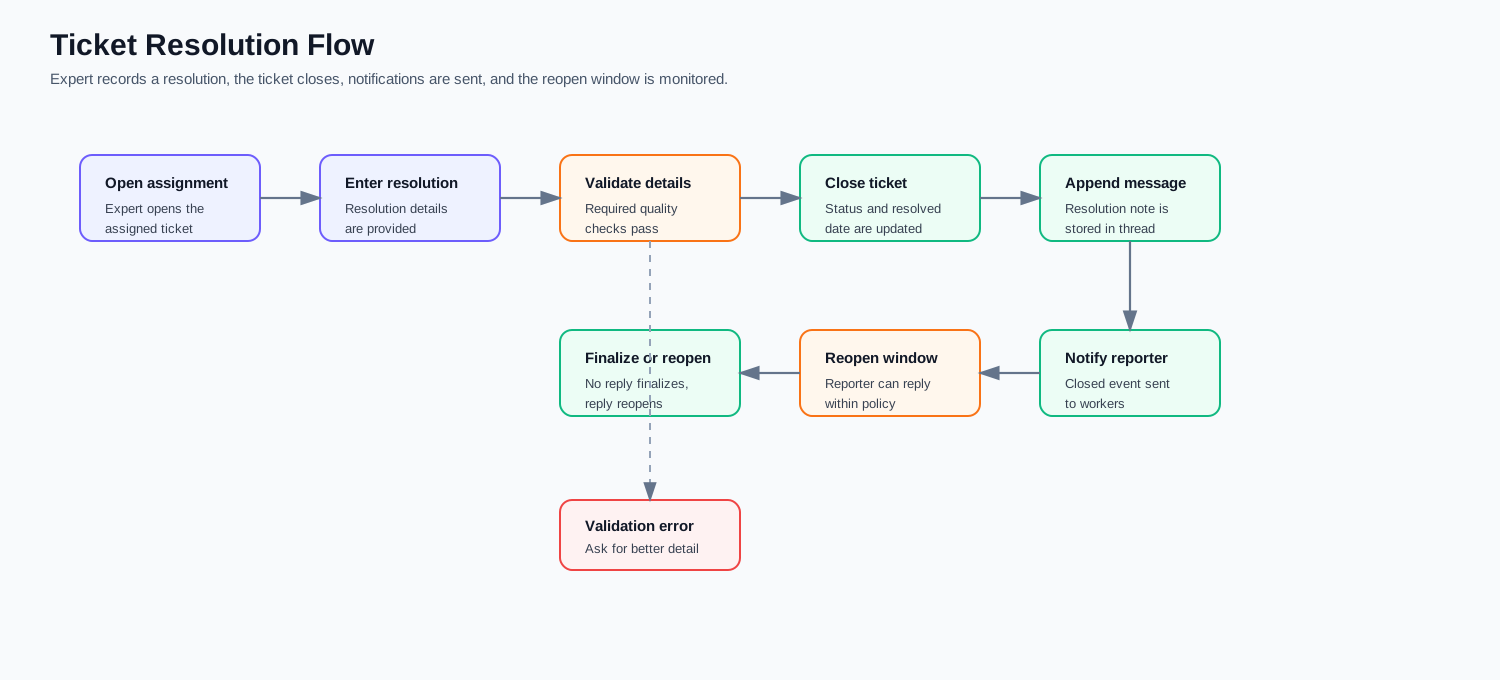
Ticket resolution is completed by the assigned expert after entering clear resolution details. The system validates the resolution note, closes the ticket, stores the resolution message, publishes a closure event, and starts the reopen/finalization logic.
| Stage | Description |
|---|---|
| Resolution entry | Expert provides resolution details. |
| Validation | The note must be meaningful enough for audit and user communication. |
| Ticket closure | Ticket status and resolved date are updated. |
| Thread update | Resolution message is appended to the ticket conversation. |
| User notification | Reporter receives the closure notification. |
| Reopen/finalize | The ticket can be reopened within policy or finalized after the allowed window. |
11.2.5 Notification Engine Flow
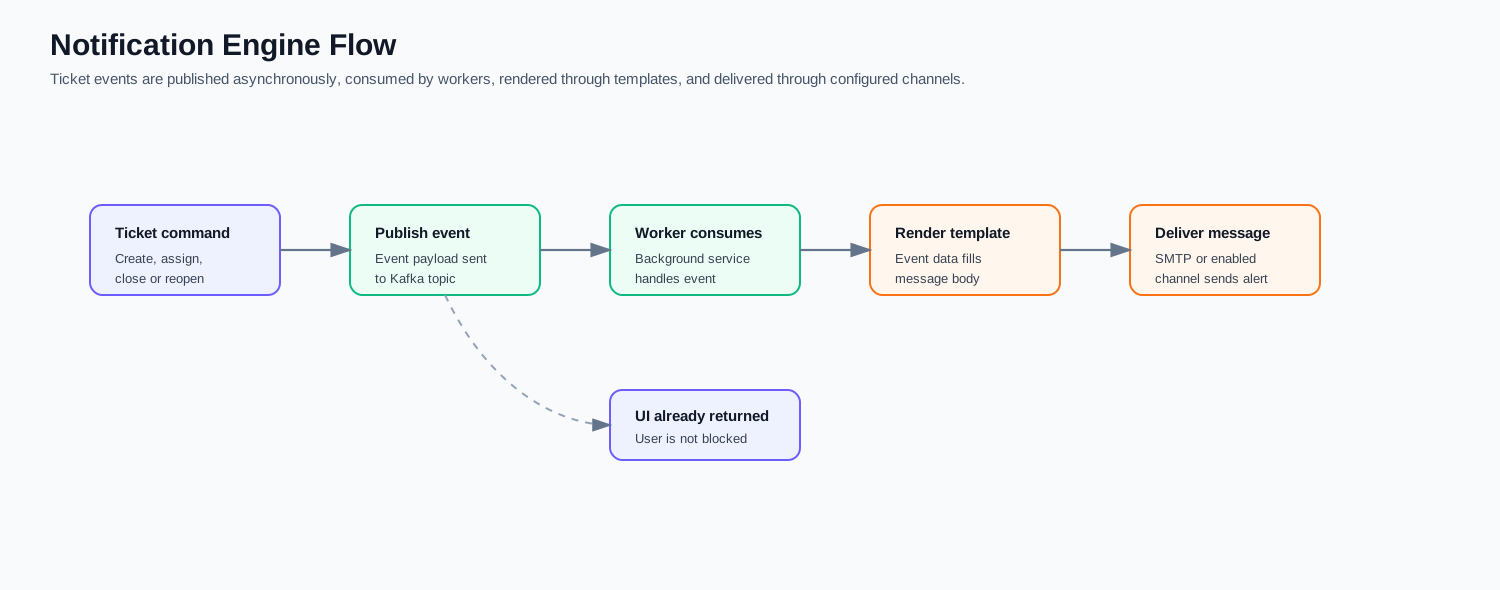
The notification engine keeps user-facing commands fast by handling alerts asynchronously. Ticket commands publish events, background workers consume them, templates are rendered using event data, and messages are delivered through configured channels such as SMTP or other enabled gateways.
| Stage | Description |
|---|---|
| Event creation | Ticket workflow creates an event such as created, assigned, reassigned, closed, or reopened. |
| Event publish | Kafka receives the event without blocking the UI response. |
| Worker processing | Background consumers read the event and decide who should be notified. |
| Template rendering | Message body is generated from the configured template and event data. |
| Delivery | SMTP or another enabled channel sends the notification. |